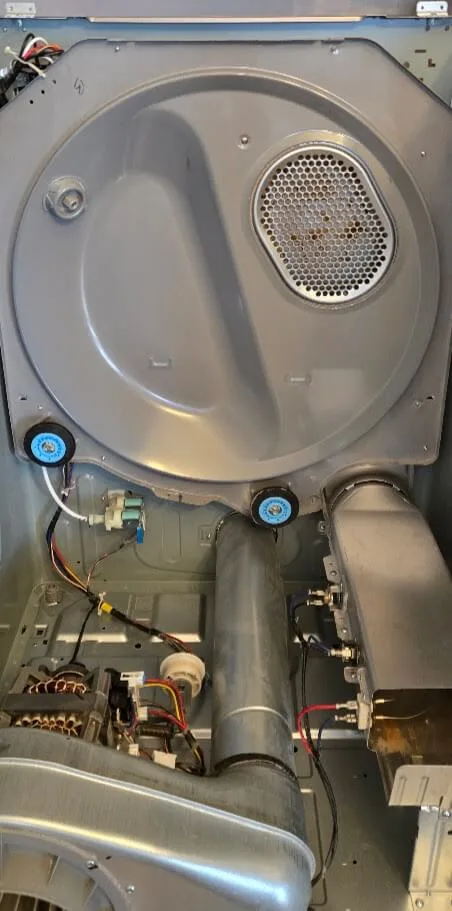
Samsung dryer wont start? When this happens, many homeowners assume the main control board has died or that the machine is ready for the scrap yard. However, as a master technician at Port St. Lucie Appliance Repair, I can tell you that total board failures are actually extremely rare. More often than not, your dryer’s safety sensors and mechanical fail-safes are simply doing their job to protect your home from electrical hazards or severe thermal damage.
Few household frustrations match opening your washer, pulling out a heavy load of wet clothes, and pressing “Start” on your Samsung dryer only to hear total silence. No hum, no click, no drum rotation—just nothing.
This expert diagnostic guide covers the most common reasons a Samsung dryer won’t start, how its safety circuits work, and why proper vent maintenance is vital to keeping your laundry appliance running safely.
Common Reasons Your Samsung Dryer Won’t Start
1. The Broken Belt & The Belt Switch Safety Loop
One of the most unique features of many Samsung dryers is their safety interlock system built directly into the drive mechanism.
Inside your dryer, a heavy-duty rubber belt wraps around the outer drum, the motor pulley, and an idler pulley assembly. The idler pulley maintains constant tension on the belt so the drum can tumble smoothly under heavy loads.
How the Broken Belt Sensor Works
Samsung equips its idler arm assembly with a tiny microswitch known as the belt switch.
- Normal Operation: When the drive belt is intact and wrapped tightly around the drum, the idler arm is held under tension in a specific position, keeping the belt switch closed and allowing power to flow to the motor.
- Belt Failure: Over years of heat, heavy loads, and friction, the drive belt can snap. The moment the belt breaks, tension is lost. The spring-loaded idler arm drops down and trips the belt switch.
When this switch trips, it opens the electrical circuit to the drive motor. Even if the dryer has full power and the display lights up, the machine will not start or hum when you press the power button. This safety mechanism prevents the motor from running continuously and overheating while the drum sits motionless.
2. The Door Switch (And What Your Door Light Tells You)
Before your Samsung dryer allows the motor to engage, it must confirm that the door is firmly latched shut. This safety precaution prevents the drum from spinning or heat from engaging while the cabinet is open.
The door switch is a small spring-loaded actuator located near the door frame. When you close the door, a plastic catch depresses the switch, completing the circuit to the motor.
Diagnostic Tip: The Door Light Trick
How do you know if your door switch has failed mechanically or electrically?
- Open your Samsung dryer door and check if the internal drum light turns on.
- Press down on the plastic door switch plunger manually with your finger.
- Watch the internal drum light. Does the light turn off when the button is fully pressed?
If the drum light stays illuminated even when the switch is fully depressed, or if the plunger feels loose and snaps off, the door switch is likely defective. If the control board doesn’t receive the “door closed” signal, it will refuse to feed voltage to the drive motor.
3. The Thermal Fuse: Your Dryer’s First Line of Defense
If your dryer display lights up, the door is closed, and the belt is intact, but pressing “Start” yields only a soft click (or no response at all), a blown thermal fuse is usually the prime suspect.
The thermal fuse is a critical safety device mounted on the blower housing or heating element assembly. It is designed to act as a one-time safety cutoff. If the interior cabinet temperature exceeds a safe threshold, the thermal fuse permanently opens (“blows”) to immediately cut electrical power to the drive motor or heat circuit.
Why Do Thermal Fuses Blow?
A thermal fuse almost never fails on its own. It blows because excessive heat has built up inside the dryer cabinet.
- The Culprit: In over 90% of cases, a blown thermal fuse is caused by restricted airflow—specifically, a clogged dryer duct line or a completely blocked lint screen housing.
- The Danger: Without a functional thermal fuse, a overheating dryer presents a severe home fire risk.
If your thermal fuse has blown, replacing the part is only half the repair. You must also clear the underlying airflow restriction, or the replacement fuse will blow almost instantly.
4. Shorted Heating Elements & Centrifugal Switch Failures
Understanding how heat and power are delivered in an electric Samsung dryer helps explain why certain components fail in sequence.
An electric dryer operates on a 240-volt circuit. The drive motor runs on 120 volts, while the high-wattage heating element requires the full 240 volts to produce heat. To prevent the heating element from turning on when the drum isn’t spinning (which would melt the dryer components within seconds), Samsung uses a centrifugal switch built directly into the back of the drive motor.
The Danger of a “Shorted” Element
When the motor starts spinning and reaches full operational speed, centrifugal force closes the switch, allowing 240V electricity to reach the heating element.
However, over time, the metal coils of the heating element can break down, sag, or fracture due to extreme thermal stress. If a broken coil touches the metal casing of the heater housing, it creates a grounded or shorted element.
When an element shorts to ground:
- Uncontrolled Heating: The element can begin drawing power and glowing hot whenever the motor is turning—or sometimes even when the dryer is turned off!
- Thermal Fuse Destruction: Because the heating element can no longer cycle off via the thermostat, the cabinet temperatures spike rapidly, forcing the thermal fuse to blow and shutting down the entire dryer to prevent a structural fire.
If your Samsung dryer suddenly stops working after blowing extremely hot air, you likely have a combination failure of a shorted heating element and a blown thermal fuse.
5. How a Dryer Actually Dries (And Why Duct Cleaning Is Essential)
To understand why airflow is so vital to your dryer’s health, it helps to review the basic physics of modern clothes drying:
- Evaporation: The heating element warms the incoming air. As the drum tumbles, this hot air pulls moisture out of your wet clothes, turning liquid water into vapor.
- Exhaust: The internal blower wheel pulls that warm, vapor-filled air out of the drum and forces it out through your home’s exterior duct vent.
The “Re-Condensation” Trap
What happens when your exterior dryer vent is clogged with lint, bird nests, or crushed foil ducting?
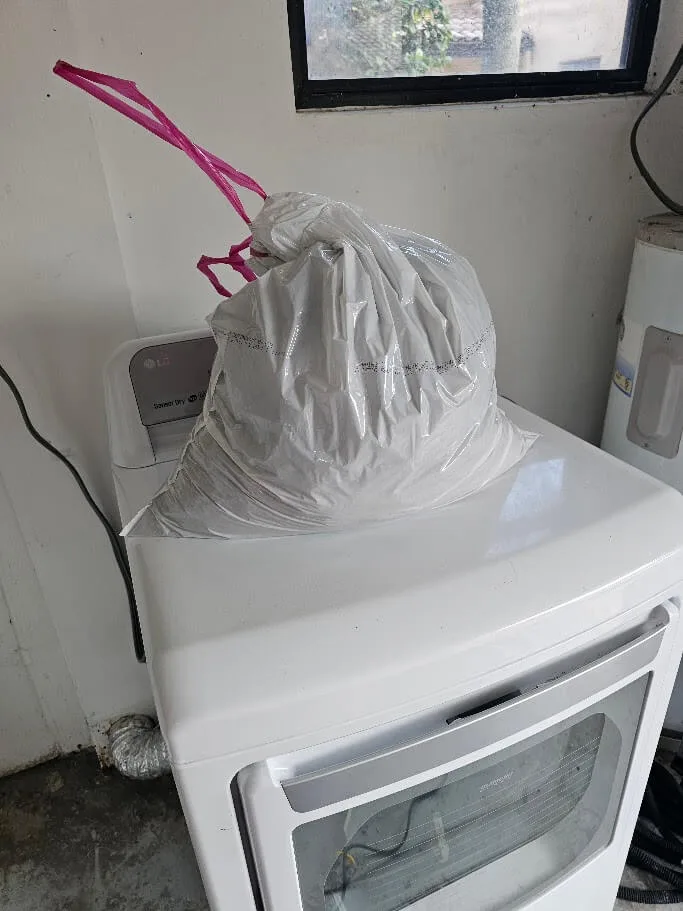
The moisture cannot escape. As the saturated air is trapped inside the spinning drum, it reaches maximum humidity. Once the dryer completes its heating phase and begins to cool down, that trapped water vapor condenses right back into liquid, soaking back into your laundry. You end up with clothes that feel hot, heavy, and soaking wet even after a 60-minute cycle.
Benefits of Professional Dryer Duct Cleaning
- Prevents Dryer Fires: Lint buildup inside heat ducts is one of the leading causes of residential house fires in Florida.
- Protects Appliance Components: Proper airflow keeps internal temperatures safe, extending the life of your heating element, thermostats, and thermal fuse.
- Saves Energy & Time: Clearing your vent reduces drying times from two or three cycles down to a single quick run, saving significant money on your monthly electric bill.
6. What About the Main Control Board?
When a dryer won’t respond, many DIY guides suggest swapping out the main electronic control board. However, true control board failures on Samsung dryers are extremely rare.
While a power surge from a local thunderstorm can occasionally damage the board’s relays or microprocessors, the vast majority of “no start” issues are caused by broken belts, faulty door switches, blown thermal fuses, or shorted heating elements. Replacing an expensive control board without running proper voltage diagnostics on safety components usually results in wasted money and an unfixed dryer.
Expert Samsung Dryer Repair in Port St. Lucie
Diagnosing electrical circuits, high-voltage heating elements, and safety thermal cutoffs requires technical knowledge and specialized diagnostic equipment.

If your Samsung dryer won’t start, displays error codes, or takes multiple cycles to dry a single load, let a certified professional handle the troubleshooting safely. At Port St. Lucie Appliance Repair, we stock high-quality OEM replacement parts and deliver fast, honest diagnostics to get your laundry room running smoothly again.
Ready to book? Call (772) 501-9870 or contact us.
FAQ · Family-owned Port St. Lucie
Frequently Asked Questions About Dryer Repair
Why is my Samsung dryer getting power but refusing to start?
If your Samsung dryer lights up but won't start, the most common culprit is a blown thermal fuse, which cuts power to the motor as a safety precaution. Other frequent causes include a broken drive belt, a defective door switch, or a malfunctioning main control board.
Do you use genuine Samsung parts for dryer repairs in Port St. Lucie?
Yes. We exclusively use factory-certified OEM Samsung parts for all dryer repairs. This ensures perfect compatibility, maintains your appliance's original performance standards, and guarantees a long-lasting fix backed by our local family-owned company's warranty.
How much does it cost to diagnose a Samsung dryer that won't start?
We charge a reasonable fee for our comprehensive, factory-grade diagnostic service. However, if you choose to proceed with the recommended repair, we waive the diagnostic fee entirely. Our licensed technicians provide upfront pricing before any work begins.